See who's around.
Make the plan.
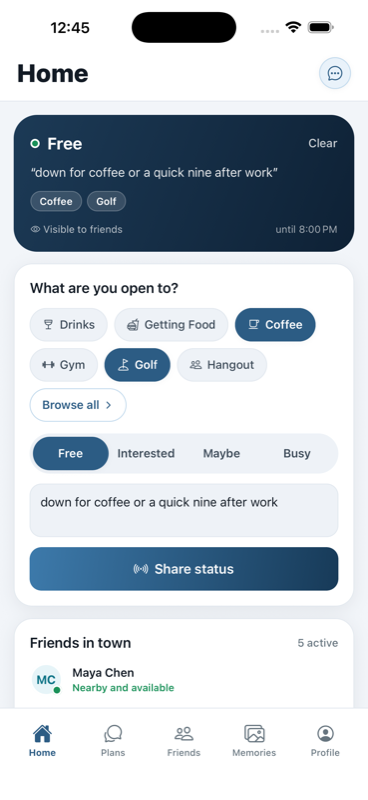
Share what you're open to — coffee, golf, a workout, whatever — and see which friends are free and in town. Then turn it into a real plan.
Friends in town
See which friends are nearby and actually free right now — not what they posted last weekend.
Plans that happen
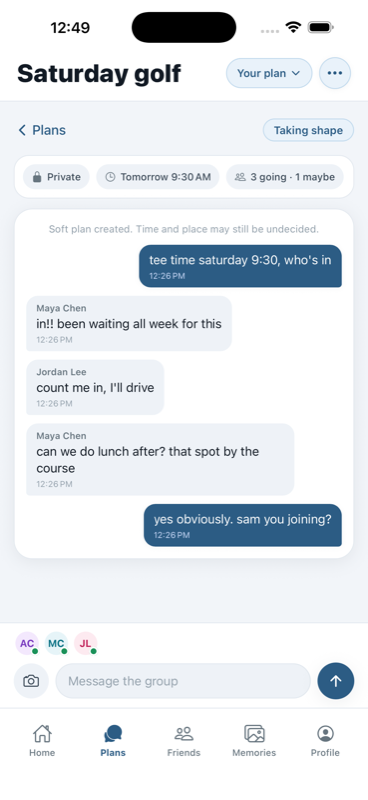
Soft plans firm up in a built-in group chat. Crews make your weekly run or gym group a one-tap invite.
Back in town
Heading home for a weekend? Let friends know you're coming back into town before you land.
Private by design
Rovvy is friends-only: no public profiles, no feeds, no followers. Location is shared at the city level only — friends see "San Diego", never a pin on a map. No ads, no tracking.
Questions
Is my exact location shared?
Never. Friends only ever see a city — "San Diego", not a pin on a map. No addresses, no coordinates, no background tracking.
Who can see my status?
Friends only. There are no public profiles or followers, and you can narrow it further with close-friends-only, per-friend settings, or go invisible for a day.
Is it free?
Yes. Rovvy is free, with no ads and no selling of your data.
Do I have to connect my contacts?
No. You can add friends without sharing your address book — connecting contacts is never required.
How do crews work?
Crews are reusable friend groups — your run club, golf foursome, gym crew. Save one once and inviting everyone to this week's plan is a single tap.
What happens to photos?
Photos you add to a plan become a shared memory album, visible only to the people who were part of that plan.